Best live chat software for UK businesses in 2026
Discover the best live chat software for UK businesses in 2026! From affordable options to advanced enterprise solutions, find your perfect fit.

Best live chat software for UK businesses in 2026
TL;DR:
LiveChat is the best overall live chat platform for most UK businesses due to its features and integrations. Small businesses should consider Tidio for affordability and AI inclusion, or tawk.to for a free option. For high-volume or regulated industries, LivePerson and Userlike provide enterprise-grade and GDPR-compliant solutions.
If you want the short answer: LiveChat is the best overall live chat platform for most UK businesses, Tidio is the strongest pick for small e-commerce and service businesses, tawk.to is the best free option, LivePerson leads for enterprise scale, and Drift wins for B2B conversion and pipeline acceleration.
Here is the quick shortlist:
Best overall: LiveChat — mature platform, broad integrations, clear pricing
Best for SMEs: Tidio — affordable, ecommerce-ready, AI included on standard plans
Best free/freemium: tawk.to — genuinely free live chat with no hidden seat costs
Best for enterprise: LivePerson — advanced AI, high-volume messaging, enterprise SLAs
Best for conversions: Drift — B2B lead qualification, meeting routing, account-based workflows
Best for UK compliance: Userlike — European data residency, GDPR-friendly by design
Best for helpdesk teams: Zendesk — deep ticketing, omnichannel reporting, proven at scale
Before you trial anything, check one thing first: where does the vendor store your chat transcripts? For UK businesses, GDPR and UK data protection law require you to know whether data sits on EU or UK servers, and many vendors default to US infrastructure. That single question can eliminate half a shortlist in under five minutes.
Pro Tip: Start a two-week pilot on your highest-traffic page, not your homepage. Pricing pages and service pages carry higher intent, so conversion data from a pilot there is far more meaningful than uptime stats from a low-traffic page.
Table of Contents
The best live chat software compared at a glance
How to choose the right live chat software for your team
What the research says: the hybrid AI + human model for UK SMEs
Short reviews of every tool: features, pros, cons and best-for tags
How we evaluated these tools
Final recommendations and your two-week pilot checklist
Key takeaways
An agency perspective on live chat that most guides miss
Why the widget is a brand decision, not just a tech one
Brands & Co can handle the implementation for you
Useful sources and vendor pages to check
FAQ
The best live chat software compared at a glance
The table below covers the 44 tools featured in this guide. Pricing reflects publicly listed starting points; always verify current rates directly with the vendor before purchase.
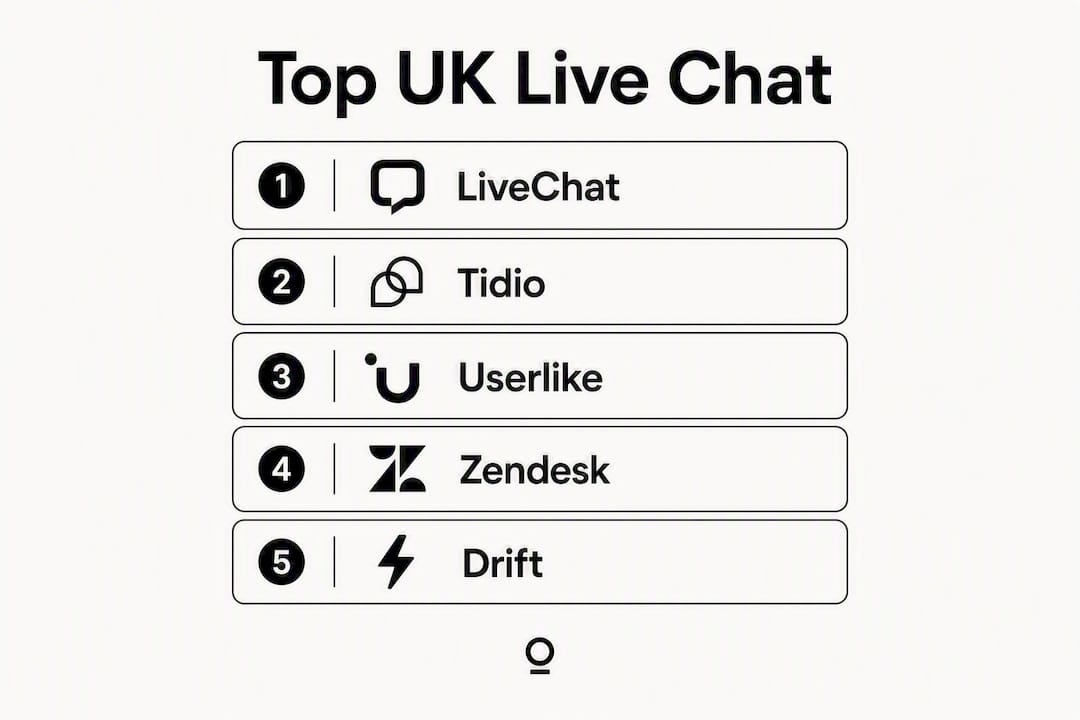
Tool | Best for | Starting price / free tier | AI & chatbot | Key integrations | GDPR / data residency | UK support |
|---|---|---|---|---|---|---|
Full-feature platform, most teams | — | AI assist, bot builder | HubSpot, Salesforce | EU/US options | Yes | |
tawk.to | Zero-cost live chat | Free (always) | Basic bot | WordPress, Shopify | US servers (check settings) | Community |
Zendesk | Helpdesk-first teams | — | AI triage, intent routing | Salesforce, Jira | EU data residency available | Yes |
Intercom | SaaS / product-led growth | — | Fin AI, workflow automation | Salesforce, HubSpot, Stripe | EU residency option | Yes |
Drift | B2B sales & pipeline | — | Conversational AI, routing | Salesforce, Marketo, HubSpot | US-based (check) | Yes |
Tidio | Small e-commerce & SMEs | Free tier; paid from ~£19/mo | Lyro AI on paid plans | Shopify, WooCommerce, Klaviyo | EU servers | Email/chat |
HubSpot Live Chat | HubSpot CRM users | Free (with HubSpot CRM) | Basic bot, workflow triggers | HubSpot-native | EU data residency | Yes |
LiveAgent | SME helpdesk + chat | From ~£9/mo | AI assist | Shopify, WordPress, Slack | EU servers | Yes |
Olark | Simple UX, small teams | From ~£19/mo | Basic automation | Salesforce, HubSpot, Zendesk | US-based | |
Re:amaze | E-commerce support | From ~£29/mo | Cues automation | Shopify, BigCommerce, WooCommerce | US-based | |
Simple chat + basic automation | Free tier; paid from ~£20/mo | Basic bot | Salesforce, Freshdesk | US-based | Email/chat | |
Pure Chat | Micro-businesses | — | Basic triggers | HubSpot, Zapier | US-based | |
Zoho SalesIQ | Zoho ecosystem users | Free tier; paid from approximately £9/month | Zobot AI | Zoho CRM, Salesforce | EU/India options | Yes |
Zoho Desk | Zoho ticketing users | Free tier; paid from approximately £12/month | Zia AI | Zoho suite | EU/India options | Yes |
HelpCrunch | Unified email + chat | From ~£12/mo | Basic bot | WordPress, Shopify | EU servers | Email/chat |
Brevo Conversations | Marketing + chat combined | Free tier; paid from ~£15/mo | Basic automation | Brevo email, Shopify | EU servers | |
JivoChat | Multi-channel inbox | Free tier; paid from ~£19/mo | Basic bot | Shopify, WordPress | EU servers | Email/chat |
Userlike | UK/EU compliance focus | — | AI automation | HubSpot, Salesforce | EU data residency | Yes |
Smartsupp | Visitor recording + chat | Free tier; paid from ~£19/mo | Basic AI | Shopify, WooCommerce | EU servers | |
Chaport | Budget-conscious small teams | Free tier; paid from ~£15/mo | Basic bot | Zapier, Slack | EU servers | |
Formilla | Visitor monitoring + chat | — | Basic automation | WordPress, Shopify | US-based | |
HelpOnClick | Lead capture focus | — | Basic bot | Zapier | US-based | |
MyLiveChat | Simple small business chat | Free tier; paid from ~£15/mo | None listed | WordPress | US-based | |
Public sector / regulated UK orgs | On request | AI assist | Bespoke integrations | UK servers | UK-based | |
ChatBot | No-code bot building | — | Full no-code builder | LiveChat, Zendesk, Slack | EU/US options | Email/chat |
LivePerson | Enterprise AI messaging | Enterprise pricing | Advanced AI, NLU | Salesforce, Genesys | EU/US options | Yes |
Social Intents | Simple plugin + monitoring | — | Basic triggers | Teams, Slack, Zoom | US-based | |
ClickDesk | Voice + video + chat | — | Basic bot | Salesforce, HubSpot | US-based | |
Freshdesk / Freshchat | Freshworks stack users | Free tier; paid from ~£15/mo | Freddy AI | Freshworks suite, Slack | EU servers | Yes |
Lead qualification automation | — | Conversational AI | HubSpot, Salesforce | EU/US options | Email/chat | |
Crisp Chat | Small team all-in-one | Free tier; paid from ~£25/mo | Basic bot | Slack, HubSpot, Zapier | EU servers | |
Kommunicate | Developer-led bot orchestration | — | Bot orchestration, APIs | Dialogflow, Lex, HubSpot | EU/US options | Email/chat |
Conversation continuity | From ~£15/mo | Basic automation | Salesforce, Slack | US-based | ||
Agentforce Service | Service desk ecosystem | Enterprise pricing | AI-assisted service desk | Salesforce-native | EU/US options | Yes |
Podium | Local business messaging | — | AI messaging | Google, Facebook | US-based | Yes |
Birdeye | Reputation + messaging | — | AI messaging | Google, Salesforce | US-based | Yes |
Qualified | Enterprise B2B ABM | Enterprise pricing | AI pipeline acceleration | Salesforce, Marketo | US-based | Yes |
Fin by Intercom | Intercom AI enhancement | Add-on to Intercom | Advanced AI resolution | Intercom-native | EU residency option | Yes |
WhatsApp Business Platform | WhatsApp-channel support | Usage-based pricing | API automation | Meta, CRMs via API | Meta infrastructure | Via BSPs |
ProProfs Chat | Ease of use + simple automation | Free tier; paid from ~£20/mo | Basic bot | Salesforce, Freshdesk | US-based | Email/chat |
Kayako | Conversation history focus | From ~£15/mo | Basic automation | Salesforce, Slack | US-based |
Pricing snapshot: Most tools fall into four bands. Free/freemium (tawk.to, HubSpot Live Chat, Zoho SalesIQ, Chaport, Crisp, Tidio free tier) covers basic live chat with limited agents or features. The £0–£30/month band (LiveAgent, Tidio paid, HelpCrunch, Brevo, JivoChat, Smartsupp) suits most SMEs. The £30–£150/month band (LiveChat, Olark, Re:amaze, Freshchat, WotNot) covers teams needing stronger automation and integrations. Enterprise pricing (Drift, LivePerson, Qualified, Podium, Birdeye) applies to platforms built for high-volume or account-based workflows.
One important note on AI add-ons: many vendors charge for AI features separately, which can significantly inflate the headline price. Tidio, Freshchat, and Zoho SalesIQ include AI on standard paid plans, which simplifies budgeting for smaller teams.
How to choose the right live chat software for your team
Getting this decision right is less about features and more about fit. Here is a practical checklist.

1. Define what success looks like before you open a single demo
Are you trying to reduce support ticket volume, capture more leads from high-intent pages, or both? Support-led teams need strong ticketing integration and deflection metrics. Sales-led teams need lead routing, CRM sync, and conversion tracking. Mixing the two without clarity leads to a tool that does neither well.
2. Map your traffic and conversation volume
A site handling 50 chats a month has completely different needs from one handling 5,000. Per-seat pricing models look cheap at low volume but become expensive fast. Check whether the vendor charges per agent, per conversation, or per resolution, and model your realistic monthly cost at 2x your current volume.
3. Ask these questions directly in every vendor demo
Where are chat transcripts stored, and can you choose UK or EU servers?
Does the vendor use customer conversation data to train its AI models? Can you opt out?
What happens when an AI bot cannot answer? How does handover to a human agent work?
What is the concurrent chat limit per agent on your plan?
Is white-labelling (removing vendor branding from the widget) included or an add-on?
What API access and webhook support does the plan include?
4. Watch for these red flags
Per-seat pricing that escalates sharply above three agents is the most common budget trap. Vendors that do not clearly state their AI training data policy are a GDPR risk. Poor or absent native CRM integration means manual data entry, which defeats the purpose of real-time lead capture. Live chat acts as a conversion lever for high-ticket service agencies precisely because it removes form friction; a tool that cannot sync leads to your CRM in real time loses that advantage immediately.
5. Budget for the full pilot, not just the licence
A realistic two-week pilot includes setup time (typically two to eight hours depending on the tool), copywriting for bot scripts, and at least one round of transcript review. Factor that into your cost comparison.
Pro Tip: Run your pilot on a pricing or contact page rather than the homepage. Visitors there have already shown intent. Measure lead capture rate and time-to-first-human-response, not just chat volume. Those two metrics tell you whether the tool is actually converting, not just running.
What the research says: the hybrid AI + human model for UK SMEs
The most effective setup for UK SMEs is a hybrid model: an AI chatbot handles initial triage, FAQs, and out-of-hours capture, while human agents take over complex or high-intent conversations during core hours. This is not a compromise. It is the right architecture for most businesses with a team of under 20 people.
Here is what that workflow looks like in practice:
A visitor lands on a high-intent page. The AI widget greets them, identifies their query type through intent recognition, and either resolves it from a knowledge base or flags it as high-intent. High-intent signals (pricing questions, specific service enquiries, repeat visits) trigger a human handover. The agent picks up the conversation with full context already in the thread. After the chat, the transcript syncs to the CRM, the lead is scored, and the contact record is updated automatically.

Hybrid AI systems using retrieval-augmented generation (RAG) answer from uploaded documents rather than generic scripts, which means the bot can accurately reflect your pricing, services, and tone without hallucinating. The handover to a human agent is seamless because the context travels with the conversation. For agencies and studios, this matters enormously: a bot that improvises answers about your services does more damage than no bot at all.
The KPIs worth tracking from day one: median first-response time (target under two minutes during staffed hours), deflection rate (percentage of queries resolved without human involvement), lead conversion rate from chat, and time-to-first-human for escalated conversations.
Pro Tip: Train your AI on your actual service documents, FAQs, and brand copy rather than generic scripts. Grounding the model in client-specific documents reduces errors and preserves your tone of voice. A widget that sounds like your brand builds trust; one that sounds like a generic chatbot erodes it.
For brand consistency, white-labelling the widget is worth the extra cost. Custom colours, fonts, and avatar styling make the chat feel like part of your site rather than a third-party bolt-on. Some tools, like Click4Assistance, are built specifically for UK-regulated environments and offer this level of customisation as standard.
Short reviews of every tool: features, pros, cons and best-for tags
SME and small business tools
Tidio is the strongest all-round pick for small UK e-commerce and service businesses. Its Lyro AI assistant is included on paid plans rather than sold as a separate add-on, which keeps budgeting clean. Shopify and WooCommerce integrations are native and reliable. Setup takes under an hour for most sites.
Pros: AI on standard plans, strong ecommerce connectors, generous free tier
Cons: Lyro AI has a conversation cap on lower plans; reporting is basic at entry level
Pricing: Free tier available; paid plans from approximately £19/month
LiveAgent combines live chat with a full helpdesk ticketing system at a price point that suits SMEs. The multi-channel inbox handles email, chat, social, and calls in one place.
Pros: Excellent value for combined chat + ticketing, strong email integration
Cons: Interface feels dated compared to newer tools; onboarding takes longer
Pricing: From approximately £9/month per agent
HelpCrunch merges email and chat into a single workflow, which suits teams that handle both channels but do not want two separate tools. EU server hosting is included.
Pros: Unified email + chat, EU data residency, clean UI
Cons: Fewer third-party integrations than larger platforms
Pricing: From approximately £12/month
Chaport offers a genuinely generous free tier and a simple interface that non-technical teams can set up without developer help. Good for budget-conscious small teams who need basic chat without complexity.
Crisp Chat gives small teams a shared inbox, a knowledge base, and basic bot functionality in one package. The free plan is usable for very small volumes.
Olark is deliberately simple. Clear pricing, straightforward analytics, and an interface that requires no training. It lacks advanced AI but does the basics without friction.
Pure Chat suits micro-businesses and solo operators who want live chat on a small site without a complex setup. Pricing is transparent and there are no hidden seat costs at the entry tier.
MyLiveChat and HelpOnClick are both basic tools aimed at small business websites. Neither offers advanced automation, but both deploy quickly and have low price points.
Free and freemium tools
tawk.to is the most widely used free live chat tool. It is genuinely free with no per-seat charges, which makes it popular for bootstrapped businesses. The trade-off is that data is stored on US servers by default, so UK businesses should review the privacy settings carefully before deployment. Community support rather than dedicated account management is the norm.
HubSpot Live Chat is free within the HubSpot CRM free tier. If your team already uses HubSpot, this is the obvious starting point. Conversations sync directly to contact records with no manual import. The bot builder is basic but functional for simple qualification flows.
Zoho SalesIQ has a free tier that includes visitor tracking and lead scoring alongside live chat, which is unusual at zero cost. It integrates tightly with Zoho CRM. For teams already in the Zoho ecosystem, the free plan is a strong starting point.
Smartsupp and JivoChat both offer free tiers with limited agents. Smartsupp’s visitor session recording feature is genuinely useful for understanding where visitors get stuck before they chat.
E-commerce focused tools
Re:amaze is built specifically for e-commerce merchants. Its integrations with Shopify, BigCommerce, and WooCommerce are deep, and it combines chat, email, and social into a single support inbox. Pricing starts at approximately £29/month.
Brevo Conversations (formerly SendinBlue) suits SMEs that want their chat history and email marketing in the same platform. The Brevo ecosystem means you can trigger automated email sequences from chat interactions, which is useful for lead nurturing.
Helpdesk and enterprise tools
Zendesk is the default choice for teams that already run a helpdesk. Its live chat integrates with the full Zendesk Suite, and its reporting is among the deepest available. The cost is higher than most SME tools, but for teams handling hundreds of tickets a day, the investment is justified. EU data residency is available.
Freshdesk / Freshchat pairs Freshworks’ helpdesk with a modern chat interface and Freddy AI for automation. It is a strong alternative to Zendesk for teams that find Zendesk’s pricing steep, with a free tier that covers basic use cases.
Intercom is the platform of choice for SaaS companies and product-led growth teams. Its in-app messaging, product tours, and workflow automation go well beyond basic chat. Fin by Intercom is the AI layer built on top, designed to resolve a high proportion of queries without human involvement. EU data residency is available.
Kayako focuses on conversation continuity, meaning the full history of every customer interaction is visible in one thread regardless of channel. Useful for teams where context matters across multiple touchpoints.
Agentforce Service and Qualified are both enterprise-tier platforms. Agentforce sits within a broader service desk ecosystem; Qualified is built specifically for account-based B2B sales teams wanting to identify and engage target accounts in real time.
LivePerson operates at a different scale from most tools on this list. Its AI handles high-volume messaging across voice, chat, and messaging channels for large enterprises. Pricing is enterprise-only and requires a direct conversation with their sales team.
Conversion and B2B sales tools
Drift is the most sales-focused platform here. Its routing logic, meeting booking automation, and account-based targeting make it the strongest option for B2B teams whose primary goal is pipeline acceleration rather than support. The price reflects that specialisation.
WotNot focuses on conversational lead qualification automation. It is a good fit for teams that want structured bot flows to qualify inbound leads before routing them to sales.
Podium and Birdeye both combine messaging with reputation management. They are primarily aimed at local businesses that want to manage Google reviews and customer messaging from one place. Both are priced at the higher end for what they offer to pure chat use cases.
Compliance and UK-specific tools
Userlike stands out for UK and EU businesses that need clear data residency guarantees. Its European infrastructure and GDPR-friendly configuration options make it the safest choice for regulated industries or public sector organisations.
Click4Assistance is a UK-built platform with a specific focus on regulated buyers, including public sector organisations, NHS trusts, and financial services firms. UK server hosting is standard, and the team offers UK-based support.
Multi-channel and messaging tools
JivoChat covers chat, phone, email, and social channels in a single inbox. It is a practical choice for teams that need to consolidate multiple contact points without investing in a full enterprise platform.
WhatsApp Business Platform is not a standalone live chat tool but a messaging channel that many of the platforms above can integrate with. WhatsApp remains one of the most used messaging apps globally, and for UK businesses with customers who prefer messaging over web chat, adding WhatsApp as a channel through an existing platform is worth considering.
ClickDesk adds voice and video options alongside standard chat, which suits teams that want to offer richer contact options without deploying a separate video tool.
Social Intents takes a lightweight plugin approach, embedding chat into existing tools like Microsoft Teams and Slack so agents can respond without switching platforms.
Developer and automation tools
ChatBot is a no-code bot builder that works alongside live chat platforms rather than replacing them. Teams that want to build structured automation flows without engineering resource will find it straightforward.
Kommunicate is aimed at technical teams that need strong developer APIs and the ability to orchestrate multiple bots (Dialogflow, Amazon Lex, and others) within a single interface.
Zoho Desk sits alongside Zoho SalesIQ in the Zoho ecosystem, adding ticketing and automation to the chat layer. For organisations already running Zoho, it is the natural helpdesk complement.
HelpCrunch, Formilla, and ProProfs Chat round out the mid-market options. All three offer visitor monitoring alongside chat, with varying levels of automation and reporting depth.
How we evaluated these tools
Every tool in this guide was assessed against seven criteria, weighted to reflect what matters most to UK business decision-makers.
Evaluation criteria and weighting:
Features and core chat capability (25%): widget customisation, concurrent chat handling, bot builder, proactive triggers, canned responses, and offline handling
Integrations (20%): native CRM connectors (HubSpot, Salesforce, Zoho), e-commerce platforms (Shopify, WooCommerce), and helpdesk tools (Zendesk, Freshdesk)
AI and automation capability (20%): intent routing, RAG knowledge base support, AI-to-human handover quality, and whether AI is included on standard plans or sold as an add-on
Pricing transparency (15%): clarity of published pricing, absence of hidden per-seat traps, and value at each tier
UX and ease of setup (10%): time to first chat, agent interface quality, and mobile app availability
Security and compliance (5%): GDPR posture, data residency options, and UK/EU server availability
Support quality (5%): availability of UK or European support, response times, and onboarding assistance
Testing scenarios used: live lead capture on a high-intent page, FAQ deflection via bot, CRM sync after conversation close, AI-to-human handover under a simulated complex query, and mobile browser chat experience.
Best practice for agencies includes intent-based qualification, sub-two-second response targets, proactive triggers on high-intent pages, and weekly transcript audits. Those benchmarks informed the testing scenarios above.
A note on data freshness: pricing and features change frequently in this market. The figures in this guide reflect publicly available information at the time of writing. Verify current pricing directly with each vendor before making a purchase decision, particularly for enterprise-tier tools where pricing is negotiated rather than published.
Final recommendations and your two-week pilot checklist
For SMEs: Start with Tidio or LiveAgent. Both offer free trials, both include AI on standard plans, and both integrate with the most common UK e-commerce and CRM platforms. If you are already using HubSpot, start with HubSpot Live Chat at zero cost and upgrade when you hit its limits.
For agencies and studios: Prioritise flat pricing and a multi-site inbox. Flat pricing with a single shared inbox for multiple client sites keeps agency care plans profitable compared with per-seat models that scale costs with every new client. LiveChat and Crisp Chat both support multi-site setups; check their agency or partner plans specifically.
For enterprise teams: LivePerson for AI-heavy, high-volume environments. Zendesk or Intercom for teams that need deep helpdesk integration alongside chat. Qualified or Drift for B2B pipeline acceleration.
Two-week pilot checklist:
Deploy the widget on your two highest-intent pages only (pricing, contact, or a key service page)
Write three to five bot responses covering your most common inbound questions, grounded in your actual service copy
Set a human handover trigger for any query containing pricing, timeline, or a named service
Review transcripts at the end of days three, seven, and fourteen
Measure: lead capture rate, median first-response time, and the percentage of conversations that resulted in a booked call or completed form
Pass/fail criteria for roll-out: if lead capture rate from chat exceeds your current form conversion rate on the same pages after two weeks, the tool is earning its place. If median first-response time during staffed hours exceeds three minutes, your agent setup needs adjusting before you scale.
Key takeaways
LiveChat is the strongest all-round platform for most UK businesses, but the right tool depends on your team size, CRM stack, and whether support or conversion is your primary goal.
Point | Details |
|---|---|
Hybrid AI + human is the right model | AI handles triage and out-of-hours; humans take high-intent conversations during core hours. |
Check data residency before you shortlist | UK GDPR requires you to know where transcripts are stored; Userlike and Click4Assistance offer UK/EU servers as standard. |
AI add-on costs inflate headline prices | Tidio, Freshchat, and Zoho SalesIQ include AI on standard plans; many others charge extra. |
Pilot on high-intent pages, not the homepage | Conversion data from pricing or service pages is far more meaningful than homepage chat volume. |
Brands & Co for implementation | Brands & Co can style, deploy, and brand your chat widget as part of a wider website or brand project. |
An agency perspective on live chat that most guides miss
Why the widget is a brand decision, not just a tech one
Most live chat guides treat the widget as a utility. Pick a plan, paste a script tag, done. That framing misses something important.
For agencies and studios, the chat widget is the first live conversation your client’s brand has with a visitor. It carries tone, personality, and expectation. A generic “Hi! How can I help?” from a white-labelled bot that sounds nothing like the brand is a small but real erosion of the work you put into the rest of the site.
The tools that get this right, Userlike, LiveChat, and a handful of others, allow full widget customisation: colours, fonts, avatar, greeting copy, and response tone. That is not a cosmetic feature. It is brand fidelity.
The second thing most guides skip is the pricing model problem for agencies. Per-seat pricing sounds reasonable until you are managing chat for eight client sites and adding a new team member means eight separate licence upgrades. Flat pricing with a centralised multi-site inbox is the only model that keeps care plan margins intact as you grow. It is worth paying a slightly higher monthly fee for a flat plan than accepting a cheap per-seat entry price that compounds against you.
The third point: train the AI on the client’s actual documents, not a generic FAQ template. A bot grounded in real service copy, real pricing language, and real brand tone makes far fewer errors and sounds far more credible. The setup takes an extra hour. The difference in quality is significant.
Live chat’s primary role for high-ticket service agencies is often conversion, not just support. Immediate human connection lifts lead capture and qualification in ways that contact forms simply cannot replicate. That is the argument for treating chat as a revenue tool, not a support cost.
Brands & Co can handle the implementation for you
There are plenty of solid tools on this list. Choosing one is the easy part. Getting the widget styled to match your brand, the AI trained on your actual copy, the CRM sync working correctly, and the handover logic set up properly — that is where most teams lose time.
Brands & Co is a branding and creative studio with nearly two decades of experience building websites and brand identities for UK businesses. We implement and style live chat widgets as part of wider website and brand projects, aligning the widget’s tone, colours, and copy with the rest of your site so it feels considered rather than bolted on. Whether you need a new website built in five days with chat integrated from the start, or a widget refresh on an existing site, we work with whichever tool fits your stack. No lock-in, no generic templates. If you want to talk through your options, get in touch with the team at Brands & Co.
Useful sources and vendor pages to check
Before you commit to any tool, verify current pricing, data residency policies, and AI training terms directly with the vendor. Policies change, and what was true six months ago may not be today.
Compliance and data guidance:
ICO guidance on cookies, consent, and live chat data — the UK Information Commissioner’s Office publishes clear guidance on what consent is required for chat data collection and how long transcripts can be retained
UK GDPR overview from the ICO — essential reading before deploying any tool that stores conversation data
Vendor pages to check for current pricing and data residency:
Further reading:
G2’s live chat software rankings — useful for peer reviews and feature comparisons across the major platforms
Lead generation and AI automation — context on using chat and AI together for lead capture
AI’s impact on lead volumes and conversion — research on AI-driven lead generation relevant to pilot KPI benchmarking
A note on last-checked dates: pricing figures in this guide reflect publicly available information at the time of writing in 2026. Live chat is a fast-moving market and vendors adjust plans regularly. Always verify live pricing on the vendor’s own site before purchase.
Statistic to note: Many vendors charge for AI features as an add-on rather than including them on standard plans. For UK SMEs budgeting for a full deployment, checking whether AI is bundled or billed separately is one of the most important questions to ask before signing up.
FAQ
What is the best live chat software for most UK businesses?
LiveChat is the strongest all-round option for most UK businesses, offering a mature feature set, broad integrations, and clear pricing. For SMEs on tighter budgets, Tidio or LiveAgent offer strong value with AI included on standard plans.
Which live chat app is genuinely free?
tawk.to is the most widely used free live chat tool, with no per-seat charges and no time-limited trial. HubSpot Live Chat is also free within the HubSpot CRM free tier, making it the natural choice for teams already using HubSpot.
What is the most used live chat platform overall?
Zendesk and Intercom are among the most widely deployed platforms globally, particularly in mid-market and enterprise organisations. For small businesses, tawk.to has a very large user base due to its free model.
Which live chat software is best for GDPR compliance in the UK?
Userlike and Click4Assistance are the strongest options for UK businesses with strict compliance requirements. Userlike offers European data residency as standard; Click4Assistance is UK-built and specifically designed for regulated sectors including public sector and financial services organisations.
How long does it take to set up live chat on a website?
Most tools deploy in under an hour for a basic setup: install a script tag, configure a greeting, and write a few bot responses. A properly configured hybrid AI and human setup, with CRM sync, handover logic, and brand-aligned copy, typically takes two to eight hours depending on the platform and your team’s familiarity with it.