Bynder vs Brandfolder: which DAM should you pick?
Explore the Bynder vs Brandfolder comparison to find the best Digital Asset Management solution for your needs. Make an informed choice today!

Bynder vs Brandfolder: which DAM should you pick?
If your buying trigger is auditable multi-stage approvals and cross-market brand control, Bynder is the stronger fit. If you need fast adoption, external sharing and per-asset usage analytics, Brandfolder gets you there with less friction. Both sit in the premium segment with quote-only pricing, so neither is a casual purchase.
A few things worth knowing before you shortlist either:
UK organisations must satisfy post-Brexit GDPR obligations and, where platforms host user-generated content, consider the Online Safety Act 2023. Ask both vendors for a data processing agreement and regional support details before signing anything.
Brands & Co offers agency-led DAM implementation for teams that want governance, taxonomy design and training without hiring a dedicated DAM manager in-house.
The single best thing you can do right now: run a 4–6 week pilot with real assets and pre-agreed success criteria covering search quality, approval throughput and analytics visibility. Screenshots and slide decks will not tell you what daily use actually feels like.
Pro Tip: Before you book a vendor demo, pull together a sample of 500 real assets, including some with messy or incomplete metadata. Ask the vendor to run a live search on that set. The results will tell you more than any polished walkthrough.
Table of Contents
Bynder vs Brandfolder: the side-by-side comparison
What does each platform actually cost?
How do the features actually compare?
How do integrations fit into your martech stack?
Security, compliance and what UK teams need to check
What does onboarding actually look like?
Which organisations should pick which platform?
Pros, cons and procurement red flags
How to run a meaningful pilot before you commit
Key takeaways
The part most DAM buyers get wrong
Brands & Co can handle the setup you do not have time for
Useful sources and further reading
FAQ
Bynder vs Brandfolder: the side-by-side comparison
Dimension | Bynder | Brandfolder |
|---|---|---|
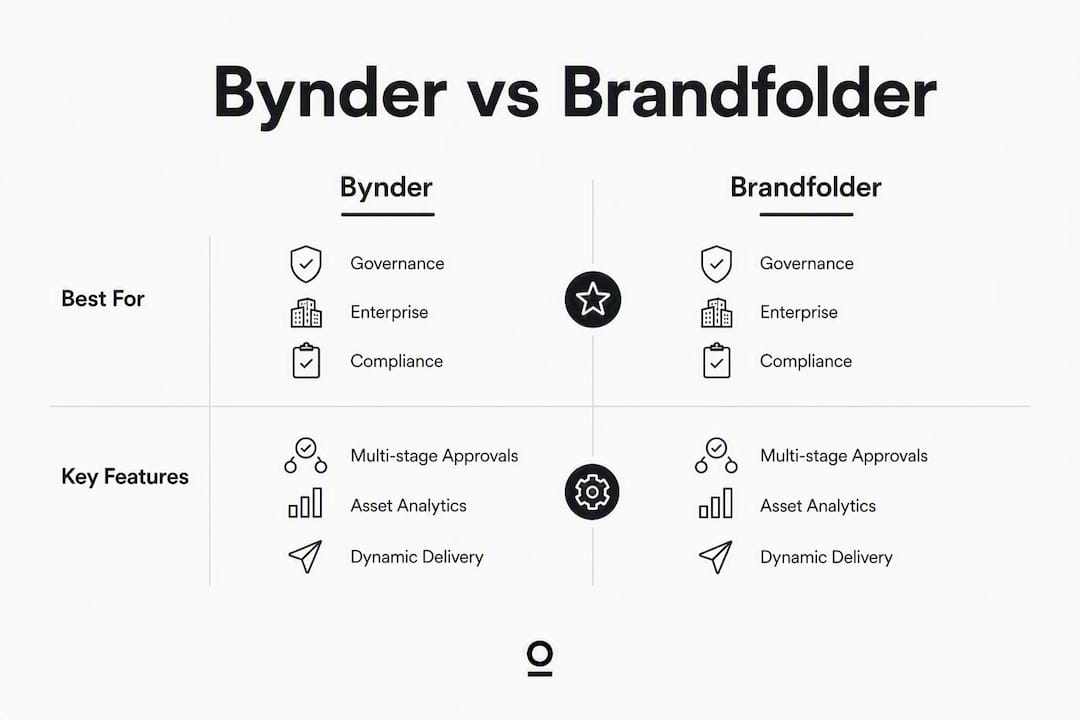
Best for | Global enterprises needing auditable approvals, brand governance and deep MarTech integrations | Teams prioritising fast adoption, external distribution, portals and per-asset analytics |
Pricing & TCO | Quote-only; entry typically five-figure annually for enterprise; budget 15% uplift for implementation | Quote-only; generally perceived as more accessible at mid-market scale; same 15% uplift rule applies |
Key features | Multi-stage approval automation, dynamic asset transformation, template governance, watermarking (G2: 9.3) | Brand Intelligence per-asset analytics, Smart CDN embeds, simpler portals, faster search UX |
Integrations & API | 100+ connectors reported, deep Adobe Creative Cloud and MarTech ecosystem | Strong Smartsheet alignment; solid API; fewer native connectors than Bynder |
Security & compliance | ISO 27001, SOC 2 Type II, SSO, GDPR-ready; ask for UK data residency specifics | SOC 2 Type II, SSO, GDPR-ready; verify UK data residency and regional support |
Ease of use / time to value | Structured 6–12 week rollout typical; higher internal resource demand | Faster onboarding; lower internal resource demand; reaches time-to-value more quickly |
Support & onboarding | Dedicated customer success, professional services, structured implementation | Customer success team; lighter-touch onboarding; community and documentation available |
Scalability | Built for global, multi-brand, multi-region scale | Scales well for mid-to-large teams; less suited to complex multi-region governance |
Why pick Bynder? The governance architecture is genuinely enterprise-grade. Conditional routing, multi-stage approvals and a broad connector ecosystem make it the right call when legal, compliance or multi-market brand control are non-negotiable.
Why pick Brandfolder? Brand Intelligence gives you per-asset usage data that most DAMs simply do not offer at this level. If proving asset ROI to stakeholders or sharing assets cleanly with external partners is the priority, Brandfolder’s portal and embed behaviour is noticeably simpler.
Pro Tip: During the demo, ask each vendor to show you a real approval workflow with three or more stages and a rejection loop. If they default to a two-step example, push harder. That gap between the demo and production reality is where most implementation surprises live.
What does each platform actually cost?
Both Bynder and Brandfolder use quote-only pricing. There is no public rate card and no self-serve trial for either. Independent reviews suggest Bynder’s entry point sits at a premium annual contract level for enterprise deployments. Brandfolder is generally positioned as more accessible at mid-market scale, though it is still a premium product.
The vendor quote is never the total cost. Budget an additional uplift in year one to cover:
Migration: moving existing assets, cleaning metadata and restructuring folder hierarchies
Taxonomy design: defining metadata schemas, tag structures and naming conventions before go-live
Implementation: configuration, SSO setup, integration work and user acceptance testing
Training: onboarding sessions for power users, DAM champions and end users across teams
When you reach contract negotiation, work through this checklist:
What is the contract length and what are the renewal escalation terms?
Are automatic price increases capped, and at what percentage?
What volume discounts apply as your asset library or user count grows?
Are implementation, training and migration included or billed separately?
What service credits apply for downtime, and what is the SLA threshold?
Pro Tip: Ask for two or three sample contract scenarios at different asset volumes and user counts. Vendors will often share these during procurement. It gives you a realistic TCO model before you commit.
How do the features actually compare?
Search and metadata
Search quality in both platforms depends heavily on taxonomy and metadata hygiene. Neither offers true semantic search by meaning independent of tags, so the quality of your metadata schema at go-live directly determines how useful search is on day one. Brandfolder’s search UX tends to feel faster and more intuitive for end users. Bynder’s metadata framework is more configurable for complex, multi-field governance requirements.
AI auto-tagging is available in both, but treat vendor claims here with some scepticism. Auto-tagging accelerates ingestion; it does not replace a well-designed taxonomy. Duplicate detection exists in both but varies in accuracy depending on asset type and volume.
Workflows and approvals
Bynder’s approval engine supports conditional routing, multi-stage sign-off and full audit trails. For regulated sectors or global brand teams where every asset change needs a traceable approval history, that architecture matters. Brandfolder offers approval fields and lighter workflow tools, which suit teams where speed of distribution outweighs governance depth.

AI capabilities
Both platforms market AI features. In practice:
Auto-tagging works reasonably well for common asset types (photography, product images); it struggles with abstract creative work.
Duplicate detection is useful during migration but requires human review before bulk deletion.
Brand Intelligence (Brandfolder) is the standout AI-adjacent feature: per-asset usage analytics that show which assets are actually being used, by whom and in which channels.
Versioning and delivery
Bynder’s dynamic asset transformation handles auto-resizing and reformatting at scale, which is genuinely useful for multi-channel publishing. Brandfolder’s Smart CDN-style embed behaviour makes external sharing and portal distribution cleaner and faster. Version control exists in both; Bynder’s versioning integrates more tightly with its approval workflow.

How do integrations fit into your martech stack?
Integration fit often decides adoption. Bynder reports over 100 native connectors, with particularly deep Adobe Creative Cloud and MarTech connections. Organisations standardised on Adobe tools tend to find Bynder’s integration depth a natural fit. Brandfolder aligns well with Smartsheet-centric workflows and offers a solid API, though its native connector count is lower.
Integrations to verify during your pilot:
Adobe Creative Cloud (InDesign, Photoshop, Illustrator plugins)
CMS platforms (WordPress, Contentful, Sitecore, Drupal)
PIM systems (Akeneo, inRiver)
CRM platforms (Salesforce, HubSpot)
SSO and SCIM provisioning (Okta, Azure AD)
Project management tools (Asana, Smartsheet, Jira)
When you are evaluating integrations, go beyond the connector list. Ask the vendor to demonstrate a working end-to-end example: an asset approved in the DAM, pushed to your CMS, with metadata preserved throughout. That round-trip metadata preservation test will surface problems that a connector checklist never will.
Ask for API rate limits in writing.
Request webhook reliability data and incident history.
Run at least one live integration during the pilot, not just a sandbox demo.
Pro Tip: If your team runs Adobe Creative Cloud heavily, prioritise Bynder’s plugin demo. If Smartsheet is your project backbone, test Brandfolder’s native connection first. Integration depth is where the real day-to-day friction either disappears or compounds.
Security, compliance and what UK teams need to check
Both platforms target enterprise buyers, so the baseline security posture is solid. That said, verify rather than assume. Key certifications and features to request from both vendors:
ISO 27001 certification
SOC 2 Type II report (ask for the most recent)
GDPR-compliant data processing agreement
SSO and two-factor authentication
Role-based access controls and permission auditing
Data residency options (UK or EU data centres)
UK teams have two specific regulatory considerations. Post-Brexit GDPR still applies in full under the UK GDPR framework, and any platform processing personal data on behalf of UK users must have a compliant data processing agreement in place. The Online Safety Act 2023 adds obligations for platforms that host user-generated content. If your DAM will accept uploads from external contributors or partners, clarify with your legal team whether those obligations apply to your use case.
On reliability, ask each vendor for their uptime SLA, incident response time commitments, backup frequency and data export or archival options. A DAM that holds your entire creative library needs a credible disaster recovery plan, not just a headline uptime figure.
Pro Tip: Request the vendor’s most recent SOC 2 Type II report, not just a confirmation that they hold the certification. The report’s exception notes will tell you far more than the certificate itself.
What does onboarding actually look like?
Bynder typically requires a structured 6–12 week rollout with a dedicated DAM champion and meaningful internal resource commitment. Brandfolder reaches time-to-value faster and with lower internal resource demands. Neither is a plug-and-play tool; both require deliberate setup to deliver value.
A realistic onboarding checklist for either platform:
Taxonomy design: define your metadata schema before you touch the platform. This is the single biggest determinant of long-term search quality.
Metadata mapping: map existing asset metadata to the new schema. Expect gaps and inconsistencies in legacy libraries.
Migration plan: batch assets, assign ownership and set a quality threshold for what gets migrated versus archived.
Training plan: separate sessions for DAM administrators, power users and casual end users.
Internal DAM champion: one person who owns the platform, governs taxonomy and fields user questions.
Support models differ. Bynder typically provides dedicated customer success management and professional services packages for complex deployments. Brandfolder offers customer success support with a lighter-touch onboarding model and solid documentation.
Confirm whether a dedicated customer success manager is included or billed separately.
Ask for references from organisations of similar size and complexity.
Clarify what happens to your data and configuration if you choose not to renew.
Pro Tip: Allocate at least two weeks before go-live purely to taxonomy design and metadata cleaning. Teams that skip this step spend months fixing search quality problems that could have been avoided at the start.
Which organisations should pick which platform?
Analysts recommend Bynder when the primary goal is auditable multi-region compliance and creative lifecycle management. Brandfolder is the stronger recommendation when proving asset ROI and fast distribution are the priorities.
Choose Bynder if your organisation looks like this:
Large enterprise, 500+ employees, multiple brands or markets
Primary buying trigger: governance, legal audit trails, multi-stage approvals
Stakeholders include legal, compliance and regional brand teams
Heavy Adobe Creative Cloud usage and a complex MarTech stack
Global UK enterprise with a large creative library
Choose Brandfolder if your organisation looks like this:
Mid-to-large team prioritising speed of adoption and external sharing
Primary buying trigger: asset ROI visibility, partner distribution, portal sharing
Stakeholders are primarily marketing and creative ops
Smartsheet-centric workflows or a lighter integration footprint
Retail or media teams distributing assets to external partners at volume
For UK-regulated sectors such as financial services or healthcare, the governance depth of Bynder is typically the safer choice. For UK retail teams distributing product assets to agency partners or resellers, Brandfolder’s portal and embed behaviour tends to reduce friction considerably.
Pros, cons and procurement red flags
Bynder
Pros:
Enterprise-grade approval workflows with full audit trails
Broad integration ecosystem (100+ connectors)
Dynamic asset transformation for multi-channel publishing
Strong watermarking and rights management features
Cons:
Longer, more resource-intensive implementation (6–12 weeks)
Higher internal resource demand; needs a dedicated DAM champion
Complexity can be overkill for teams without governance requirements
Brandfolder
Pros:
Faster onboarding and lower internal resource demand
Brand Intelligence per-asset analytics are genuinely useful
Cleaner portal and embed behaviour for external sharing
More intuitive for non-technical end users
Cons:
Fewer native connectors than Bynder
Lighter approval workflow; less suited to complex multi-stage governance
Less suited to multi-region brand control at enterprise scale
Red flags to watch in any DAM procurement:
Renewal terms with uncapped automatic price increases
APIs that are documented but not demonstrated during the pilot
SLAs that exclude scheduled maintenance windows from uptime calculations
Onboarding costs quoted separately after contract signature
Pro Tip: Run a procurement sanity check on every shortlisted vendor: ask them to show you a customer who left and came back. How a vendor talks about churn tells you a great deal about their confidence in the product.
How to run a meaningful pilot before you commit
A 4–6 week pilot with real assets and pre-agreed success criteria is the most reliable way to evaluate either platform. UI and search experience differ materially in daily use and are genuinely hard to assess from demos alone.
Pilot setup checklist:
Define three to five measurable success criteria before you start (e.g. search returns correct asset in under 10 seconds, approval cycle completes within 48 hours)
Use a real asset dataset of at least 500 files, including assets with incomplete or messy metadata
Include at least one live integration test (CMS push, Creative Cloud round-trip, or API call)
Assemble a stakeholder panel: DAM administrator, power user, casual end user, IT representative
Scoring template (weighted criteria):
Search relevance and speed (25%)
Approval workflow throughput and audit trail quality (20%)
Analytics trust and reporting clarity (20%)
Integration reliability and metadata round-trip preservation (20%)
TCO confidence and contract clarity (15%)
Run the same scenario on both platforms where possible. Ask each vendor to support a parallel pilot rather than a sequential one; sequential pilots favour whichever platform you evaluate second, simply because your team has more experience by then.
On data migration: before the pilot ends, test the export. Download a full asset batch with metadata intact and confirm it opens cleanly outside the platform. If you cannot get your data out cleanly during a pilot, that is a serious signal about what happens at contract end.
Pro Tip: Capture user feedback with a simple five-question survey after each pilot task, not a retrospective at the end of the pilot. Recency bias in retrospective feedback consistently flatters whichever platform the team used most recently.
Key takeaways
Governance-first organisations should shortlist Bynder; distribution-first teams with asset analytics needs will find Brandfolder the faster, more focused fit.
Point | Details |
|---|---|
Match platform to buying trigger | Bynder suits governance and compliance needs; Brandfolder suits distribution and asset ROI priorities. |
Budget for year-one uplift | Implementation, migration and training typically add 15% to the vendor quote in year one. |
Pilot with real, messy assets | Search quality depends on metadata hygiene; test on real data, not a curated demo set. |
Check UK regulatory requirements | Verify GDPR data processing agreements and Online Safety Act obligations before signing. |
Brands & Co as an agency route | Brands & Co offers taxonomy design, governance setup and training for teams without a dedicated DAM manager. |
The part most DAM buyers get wrong
There is a tendency in enterprise software procurement to treat the vendor comparison as the hard part and the implementation as the easy part. With DAM platforms, it is the other way around.
Both Bynder and Brandfolder are capable tools. The gap between a DAM that transforms how a brand team works and one that becomes an expensive shared drive is almost never the software itself. It is the taxonomy. It is the metadata schema designed before a single asset is uploaded. It is the internal champion who owns governance and keeps the library clean six months after go-live.
What I see repeatedly is organisations that spend months evaluating platforms and then rush the implementation. They migrate everything, clean nothing, and wonder why search quality is poor. The pilot checklist in this article is not a formality. It is the actual work.
If your team does not have the bandwidth to do that setup properly, an agency-led implementation is not a compromise. It is often the faster and more cost-effective route, particularly for the taxonomy design and training phases where specialist experience genuinely shortens the timeline.
The other thing worth saying plainly: if your primary buying trigger is brand governance and legal audit trails, do not let a slicker demo from a distribution-focused platform talk you out of the governance architecture you actually need. And if your trigger is speed and asset analytics, do not pay for enterprise governance complexity you will never use.
Pick the platform that matches the problem you are actually solving.
Brands & Co can handle the setup you do not have time for
DAM implementation done properly is a project, not a configuration task. Taxonomy design, metadata mapping, approval workflow architecture, training plans, and governance documentation all take time and specialist thinking that most marketing teams do not have spare capacity for.
Brands & Co works with marketing and brand teams to design and deliver the governance and creative infrastructure that makes a DAM actually work. That includes taxonomy design, pilot support, training sessions and brand governance playbooks, whether you are launching on Bynder, Brandfolder or evaluating your options. The engagement is project-based, so there is no long-term commitment required to get started.
If your team is ready to move but does not have a dedicated DAM manager, get in touch with Brands & Co to talk through what a structured implementation project would look like for your organisation.
Useful sources and further reading
The sources below informed this comparison and are worth bookmarking for your procurement process. Verify all vendor claims during live demos rather than relying on third-party summaries alone.
Compare Brandfolder vs Bynder — G2: User review data including Bynder watermarking score (9.3); used in the comparison table.
“Practitioners recommend short, real-asset pilots because UI and search experience differ materially in daily use and are hard to evaluate from screenshots or slide decks alone.” — Fabric.so comparison
Ask both vendors for a demonstration script you can run yourself, not just a guided walkthrough. The difference between a vendor-led demo and a self-directed pilot is where the real evaluation happens.
FAQ
Which is better for UK enterprise teams, Bynder or Brandfolder?
Bynder is the stronger fit for UK enterprises where governance, multi-stage approvals and cross-market brand control are the primary requirements. Brandfolder suits teams where fast adoption and per-asset analytics matter more.
Do Bynder and Brandfolder publish their pricing?
Neither vendor publishes a public rate card. Both use quote-only pricing; independent reviews suggest Bynder’s entry point sits in five-figure annual contracts for enterprise deployments.
How long does implementation take for each platform?
Bynder typically requires a structured 6–12 week rollout with dedicated internal resource. Brandfolder generally reaches time-to-value faster and with lower internal resource demands.
What hidden costs should I budget for?
Budget an additional uplift on top of the vendor quote in year one to cover migration, taxonomy design, implementation and training. Scrutinise renewal terms for automatic price escalation clauses.
Is Brandfolder or Bynder better for GDPR compliance?
Both platforms offer GDPR-ready data processing agreements and SOC 2 Type II certification. UK teams should verify data residency options and, where user-generated content is hosted, consider Online Safety Act 2023 obligations. This article provides general guidance; confirm your specific obligations with a qualified legal adviser.